
여백에 남기는 독서 기록
읽은 책만 남겨도 충분해요.
독후감도 별점도 목표도 없어요. 책을 담기만 하면 기록이 되고, 남기고 싶은 날에만 한 줄을 더하면 돼요.
App Store 출시 준비 중 iPhone과 iPad에서 쓸 수 있어요. 무료예요.여백에 남는 것
책장 귀퉁이를 접고 연필로 밑줄을 긋듯, Marglet은 읽는 동안의 흔적만 조용히 모아 둬요.
이 책의 시간
메밀꽃 필 무렵-
담음10월 4일
책을 담으면 기록이 시작돼요
제목이나 저자로 찾아 판본을 골라 담아요. 읽기 시작한 날과 다 읽은 날이 저절로 남아요.
-
문장 12쪽10월 6일
마음에 남은 문장은 쪽수와 함께
산허리는 온통 메밀밭이어서 피기 시작한 메밀꽃이 소금을 뿌린 듯 흐뭇한 달빛에 숨이 막힐 지경이다.
이 한 문장 때문에 다시 펼쳤다.
-
메모10월 7일
떠오른 생각은 한 줄로
긴 독후감 대신 그날의 생각을 짧게 붙여 둬요. 표지가 없는 책도 제목과 저자로 리소 표지를 찍어 드려요.
-
돌아보기10월 31일
한 달에 읽고 남긴 것을 한눈에
그달에 다 읽은 책과 옮겨 적은 문장을 모아 보여 줘요.
-
내 기록언제나
로그인 없이, 광고 없이
기록은 이 기기에만 저장돼요. 원하면 Google로 로그인해 iPhone과 iPad의 기록을 맞추고, 백업 파일 하나로 언제든 되살려요.
둘러보기
앱의 화면을 골라 보세요.
서재
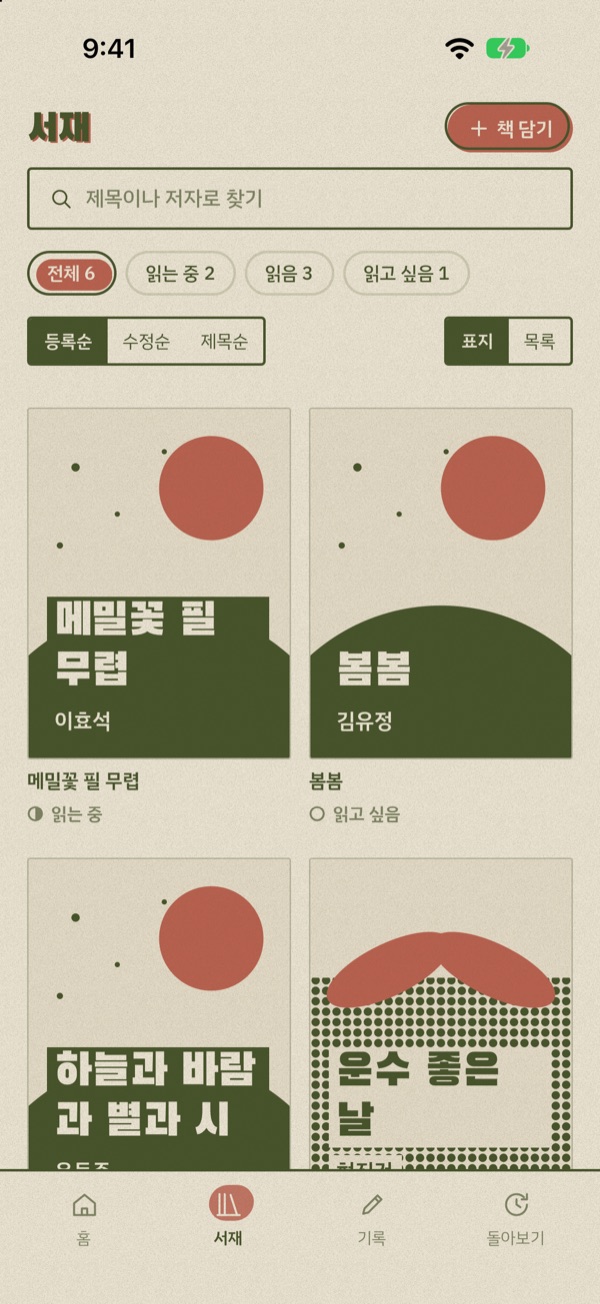
읽는 중, 읽음, 읽고 싶음으로 나눠 표지나 목록으로 봐요.
이 책의 시간
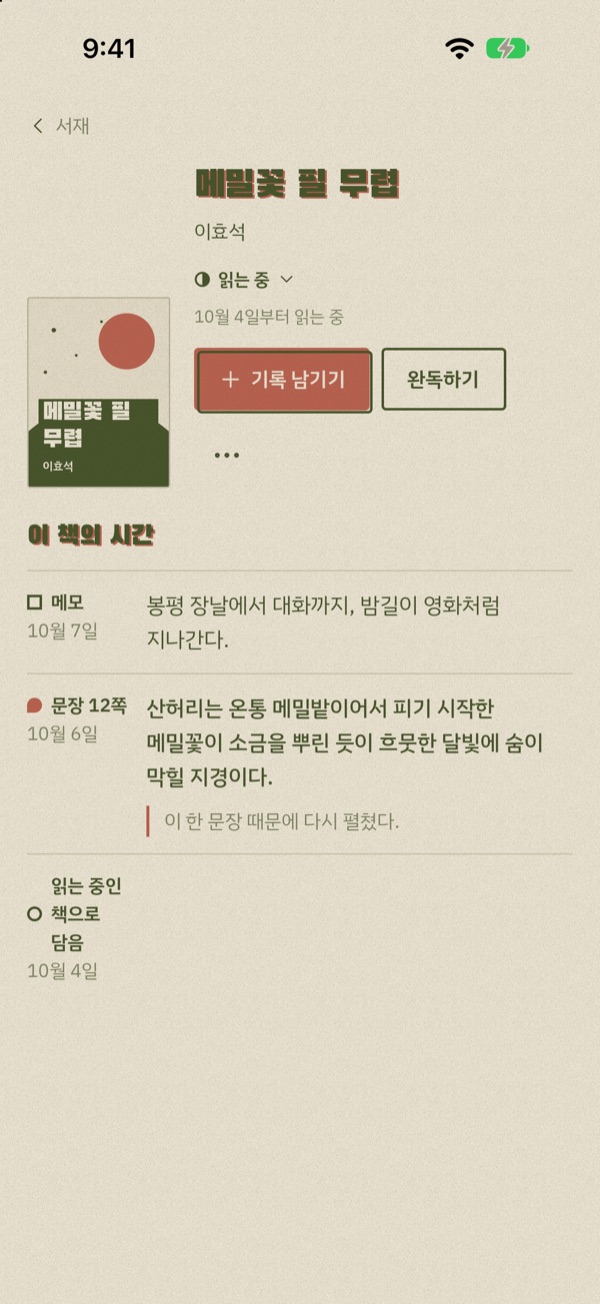
한 권에 남긴 문장, 생각, 메모가 날짜순으로 쌓여요.
돌아보기
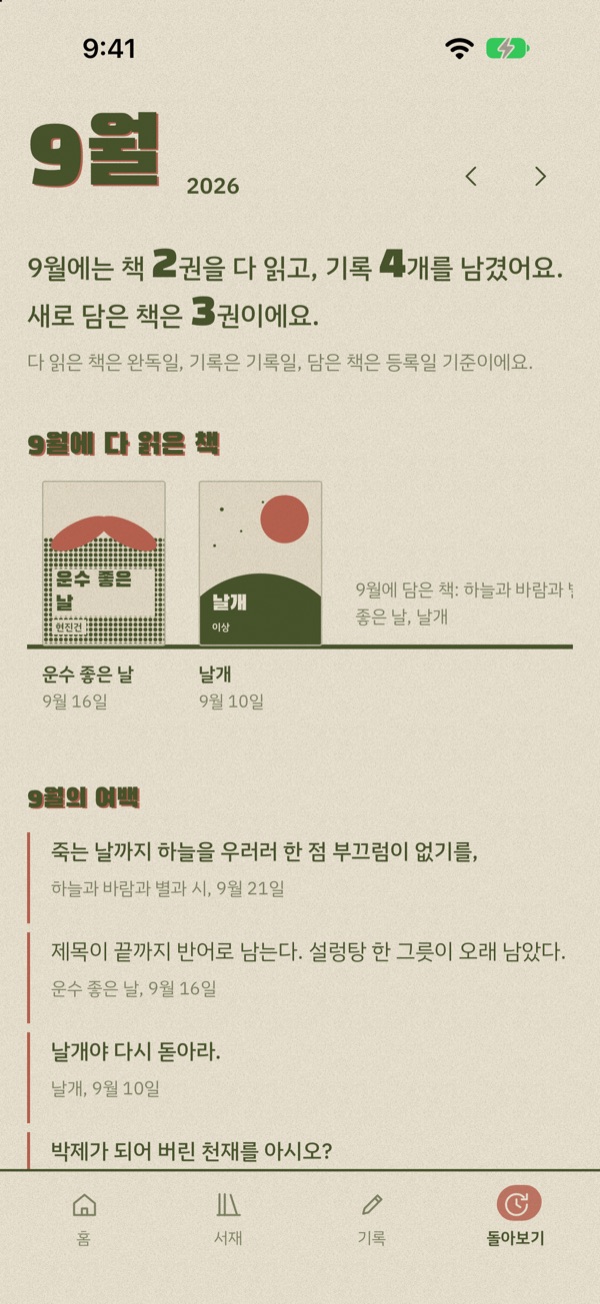
한 달 동안 읽고 남긴 것을 모아 봐요.
다크 모드와 잉크 색
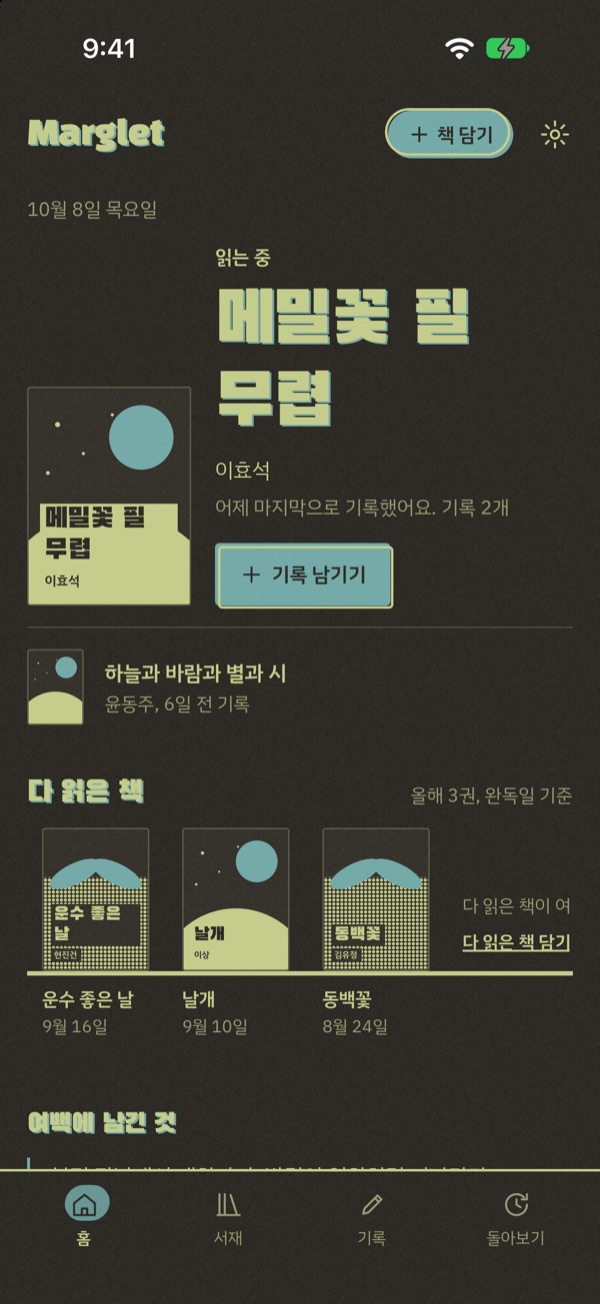
어두운 화면에서도 종이처럼. 12가지 잉크 중 좋아하는 색으로 앱 전체를 찍어요.
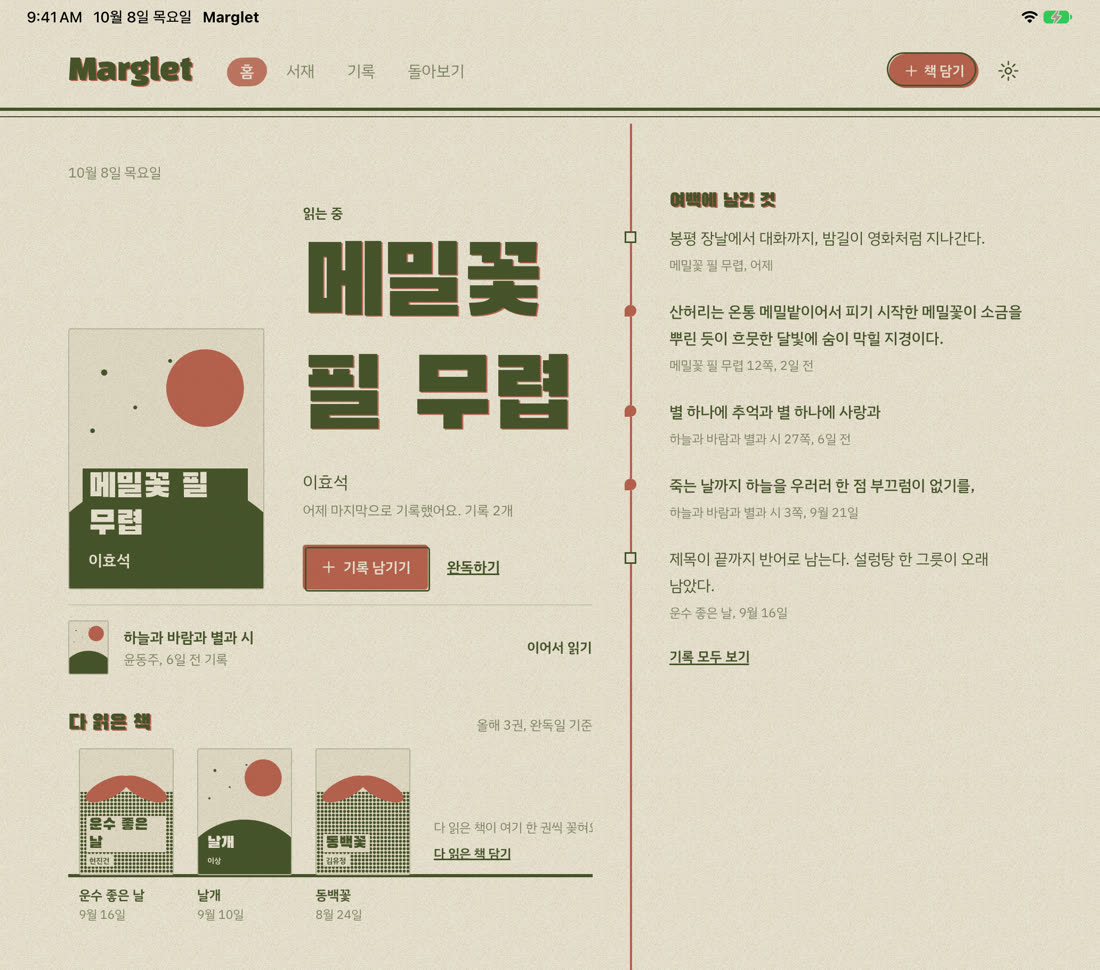
iPad에서는 여백이 넓어져요
왼쪽에 본문, 오른쪽 여백에 고른 책과 기록이 펼쳐져요. 가로로 돌려도 그대로 써요.
A reading journal in the margins
The books you read are enough.
No reviews, no star ratings, no goals. Add a book and it’s on the record. On the days you want to, add a line.
Coming soon to the App Store For iPhone and iPad. Free.What stays in the margins
Like folding a page corner or underlining in pencil, Marglet quietly keeps the traces you leave while reading.
This book’s timeline
The Buckwheat Season-
AddedOct 4
Adding a book starts the record
Search by title or author and pick the edition. The day you started and the day you finished are kept for you.
-
Quote, p. 12Oct 6
Quotes that stay with you, with the page
The whole hillside was a buckwheat field, the flowers just opening, white as scattered salt under the moon.
This line is why I opened it again.
-
NoteOct 7
A thought in one line
Skip the long review and jot down what you thought that day. Books without a cover get a risograph-style one made from the title and author.
-
Look backOct 31
Your month of reading at a glance
See the books you finished and the quotes you copied that month.
-
Your recordsAlways
No sign-in, no ads
Records stay on your device. If you like, sign in with Google to sync your iPhone and iPad, and restore everything from a single backup file.
Take a look
Pick a screen.
Library
Reading, read, and want to read, shown as covers or a list.
This book’s timeline
Quotes, thoughts, and notes for a book pile up by date.
Look back
Everything you read and kept in a month.
Dark mode and ink colors
Still feels like paper in the dark. Print the whole app in any of 12 ink colors.
More margin on iPad
The main page sits on the left, and the book you picked and its records open in the margin on the right. Works in landscape too.
Start with the next book you’ll read.
Marglet is getting ready for the App Store. Email us if you’d like to hear when it launches.
Ask about the launch